A storyboard for AI video
Make a film one shot at a time.
Lay the film out as a row of shots and work through them one at a time — write it, generate it, watch it, try again. Where two shots meet you supply the frame they both have to land on, so generating one of them again leaves the shots either side of it exactly as they were. You can spend forty takes on the one that is giving you trouble and never re-render the rest.
0.7%
mean pixel difference between the still we pinned to a seam and the last frame of the clip the model generated to land on it.
16.6%
the same measure on two genuinely different photographs. That is what “different” looks like on this scale.
28 clips
of real generation on a real subject, two runs per configuration, behind those numbers. Method and full table.
The shape of the problem
Generated video arrives eight seconds at a time, slowly, and bills you whether you keep it or not.
A three-minute film is roughly twenty-two generations. Each one takes 30 to 85 seconds to come back — we measured that — and costs real money on arrival, good or bad. So the loop that actually matters is not “render the movie.” It is render shot 7 again, and again, until it is the shot.
Every tool built around a single prompt makes that loop expensive in the wrong way: change one thing and everything downstream of it is suspect. Lunar Canoe is built around the re-roll instead.
The idea
Two shots, one still, no cascade.
The obvious way to keep two shots continuous is to take the last frame of the first one and feed it into the second. Don't. The final frame of a generated clip is usually its worst — motion blur, compression. Errors compound, and by shot six the jacket has changed colour. Worst of all, it makes regeneration catastrophic: re-roll shot three and every shot after it is invalid.
So we inverted it. The boundary still is an input to both shots and an output of neither.
You generate that still first — cheap, fast, and you get to look at it before spending anything on video — then pin it to the seam. The earlier shot is told to land on that exact frame. The later shot is told to start from it. Re-rolling the earlier shot changes the motion in between and leaves the endpoint precisely where it was, which is why the shot after it never needs to know.
That only works if the model really hits the endpoint. So we measured it, on a real subject, across both providers and every conditioning mode we could combine: 28 clips, two runs each, about $27 of generation.
The best configuration — Gemini Omni Flash, five seconds, first and last frame conditioning plus three identity references — lands the end frame 0.7% away from the authored still, difference-hash distance 0. The pose change it had to bridge measures 16.6% and distance 16. The error is an order of magnitude below the thing it was asked to do.
The measurement also told us where it breaks. Veo 3.1 at four seconds drifts to 5.5% on a pinned seam; at eight seconds it snaps back to 1.5%. So the app refuses the four-second pinned combination outright rather than selling you a render it knows will disappoint. Read the full report.
How it works
Storyboard, seams, takes, export.
-
01
Lay the film out as shots
An ordered strip of scenes, each with its own subject, action, camera, lighting and style. Order is the only structure — no ports, no wires. Contiguous spans can share a style bible so a sequence holds together without you retyping it into every prompt.
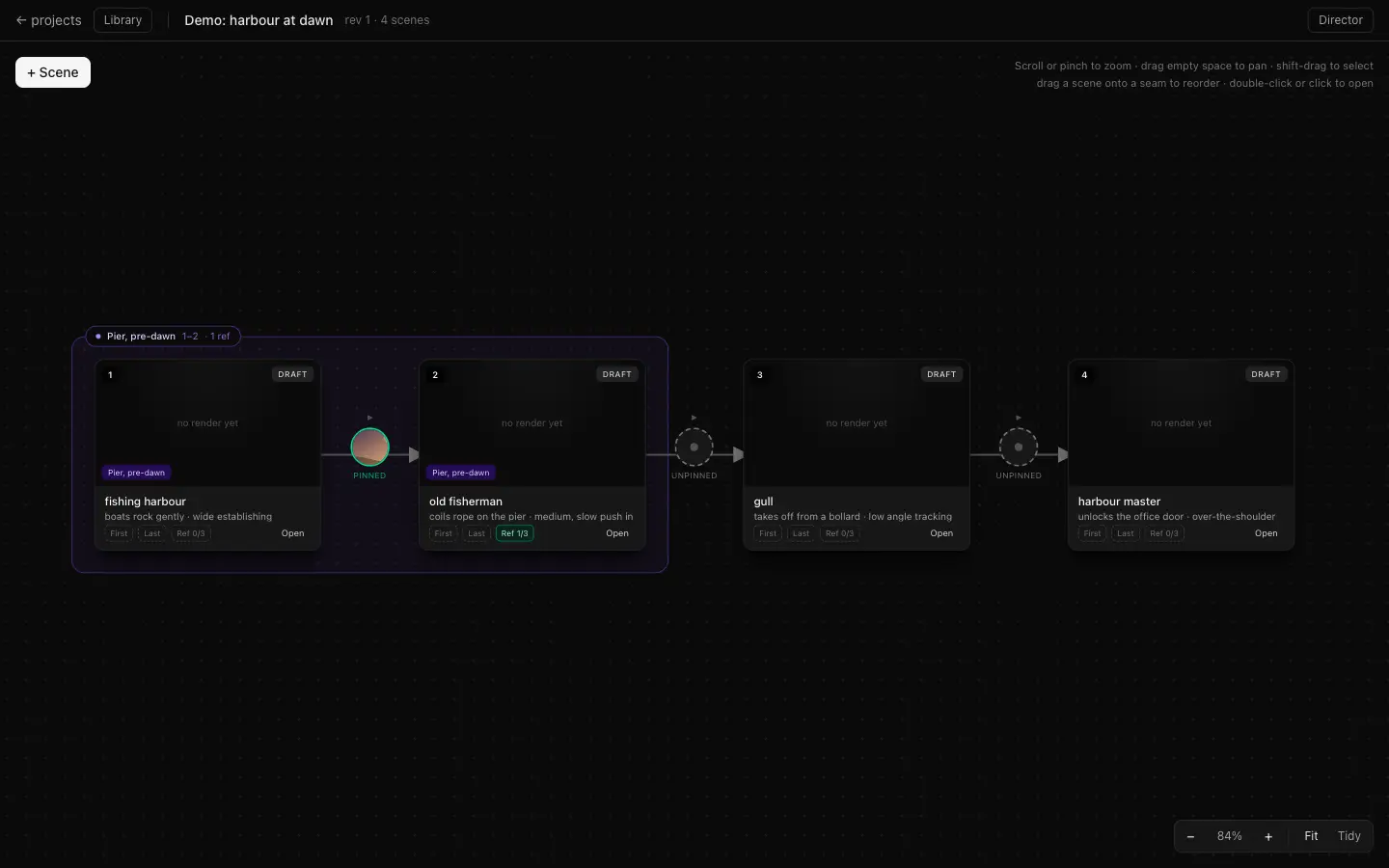
Four shots, one style group, one pinned seam. -
02
Generate the still that sits on the cut
Before any video exists, you author the frame where two shots meet. It arrives in about fifteen seconds and costs pennies, so you can generate three, throw two away, and still have spent almost nothing. This is the point in the process where decisions are cheap.
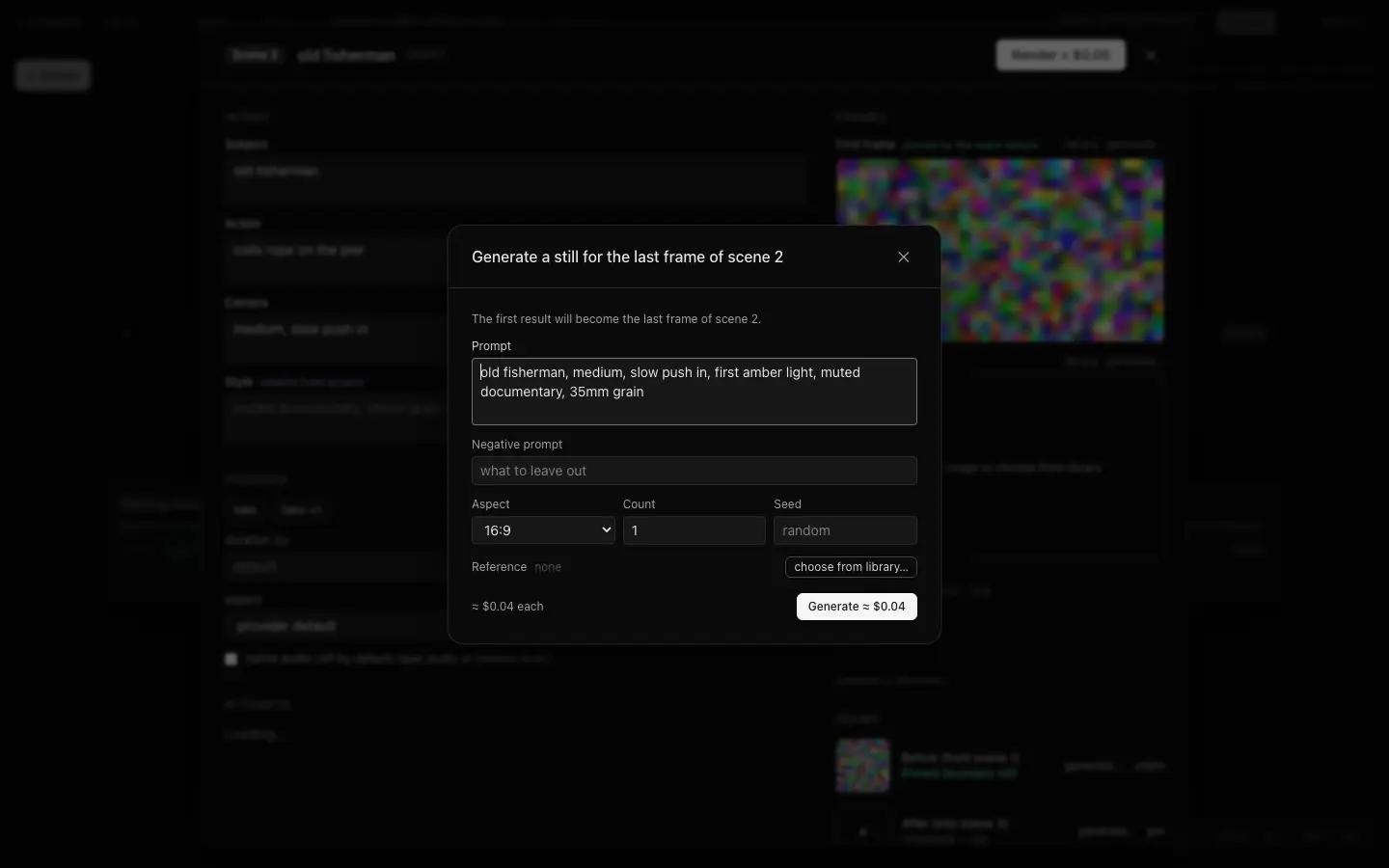
The still dialog. Prices shown in this alpha build are provider cost, not retail. -
03
Pin it to the seam
Pinned means immutable, and it means shared: the same asset is now the last frame of the shot before and the first frame of the shot after. Neither shot produces it; both are constrained by it. Editing a boundary invalidates exactly the two shots that touch it — never the rest of the film.
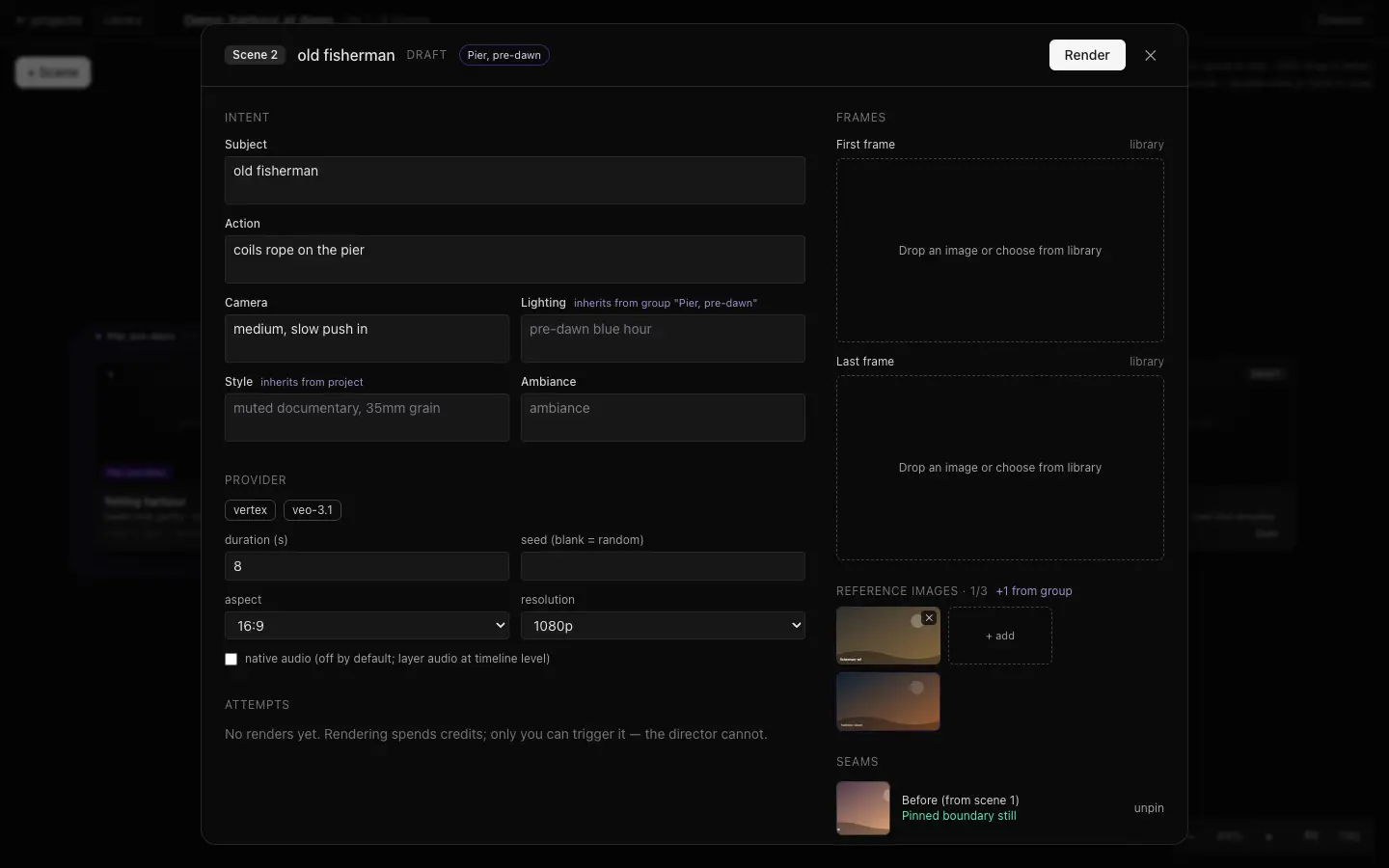
One shot's inputs, including the seam it is pinned to. -
04
Render each shot on its own — then export
You press render, per shot, with the price on the button. Re-roll shot 7 as many times as it takes; shots 6 and 8 don't move, don't restale, don't need re-rendering. When you like all of them, export concatenates the takes in order into a single file.
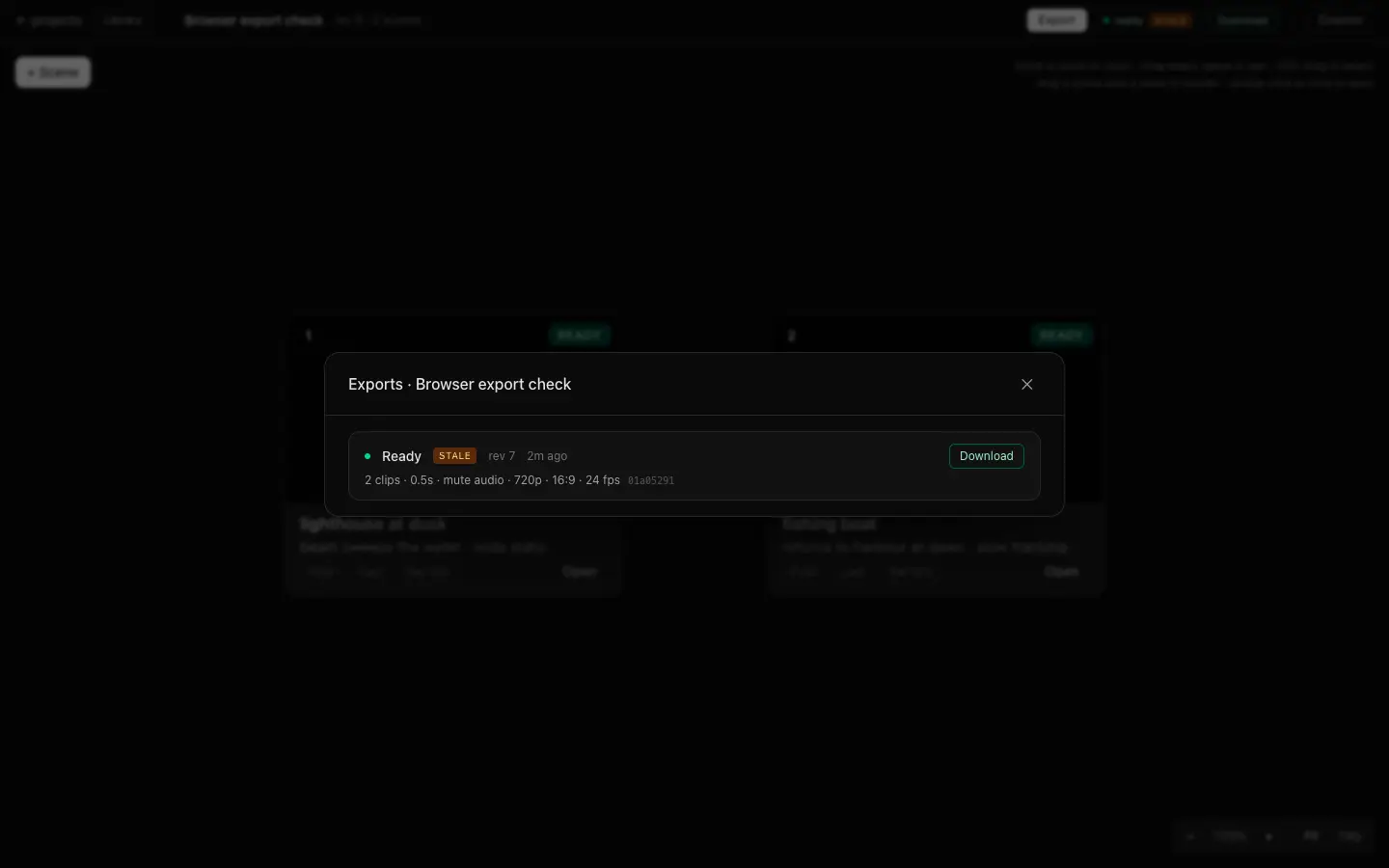
Export produces one file.
The director
Tell it what you want changed.
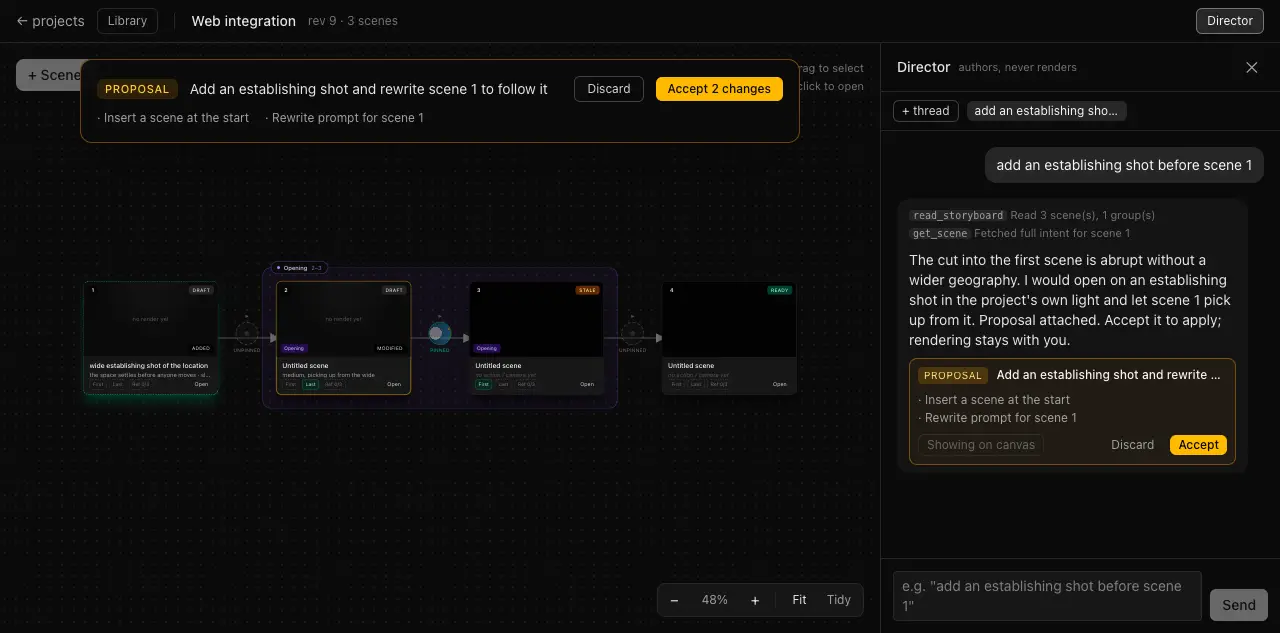
Talk to it in the language you already use. “Add an establishing shot before scene 1.” “Make act two feel more claustrophobic.” “Write prompts for these six shots against the group style bible.” It reads the storyboard, then comes back with a set of named commands — insert this, rewrite that — staged as a proposal. You see the change highlighted on the canvas before it happens, and accept or discard it whole.
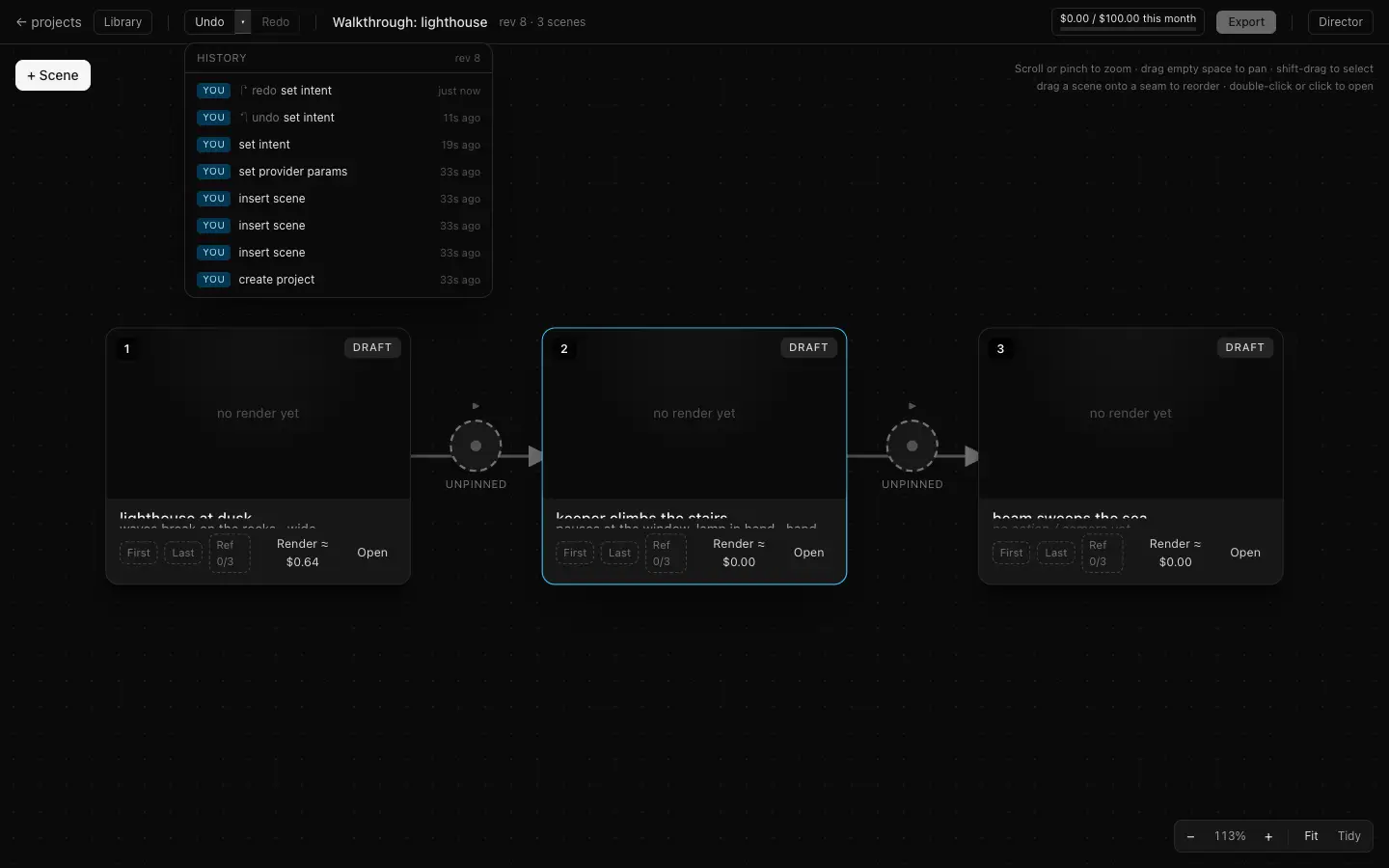
Chat and direct manipulation write the same commands. Dragging a shot and asking for it to be moved produce identical entries in the log, and everything in that log has an inverse, so undo is real rather than best-effort.
It is better at some things than others.
It earns its place on semantic and bulk work: writing six prompts against a style bible, tightening a sequence so it reads as one movement, noticing that shot 4 contradicts the light in shot 3. It has the whole board in context — ordinals, group spans, which seams are pinned, which shots have gone stale.
It is worse at precise positional work. Moving one shot two places left is a drag; describing which shot and where is three sentences. Both surfaces write the same commands, so use whichever is faster for the edit in front of you.
It proposes and you decide. Renders are yours to start, from the strip, with the price on the button.
What it costs
You pay for what you render. Nothing else.
- No subscription
- A prepaid balance you top up when you want to. Unused balance stays yours. There is no monthly floor to pay for a month you didn't shoot in.
- The unit is the second
- Around $0.16 per second of finished video on the default model, and around $0.06 for a boundary still. Duration times rate — no credits, no exchange rate to work out.
- So, in shots
- A five-second shot is under a dollar. A thirty-shot short film is somewhere around $25 of renders — plus the re-rolls you will actually do, and you will re-roll.
- Nothing spends by surprise
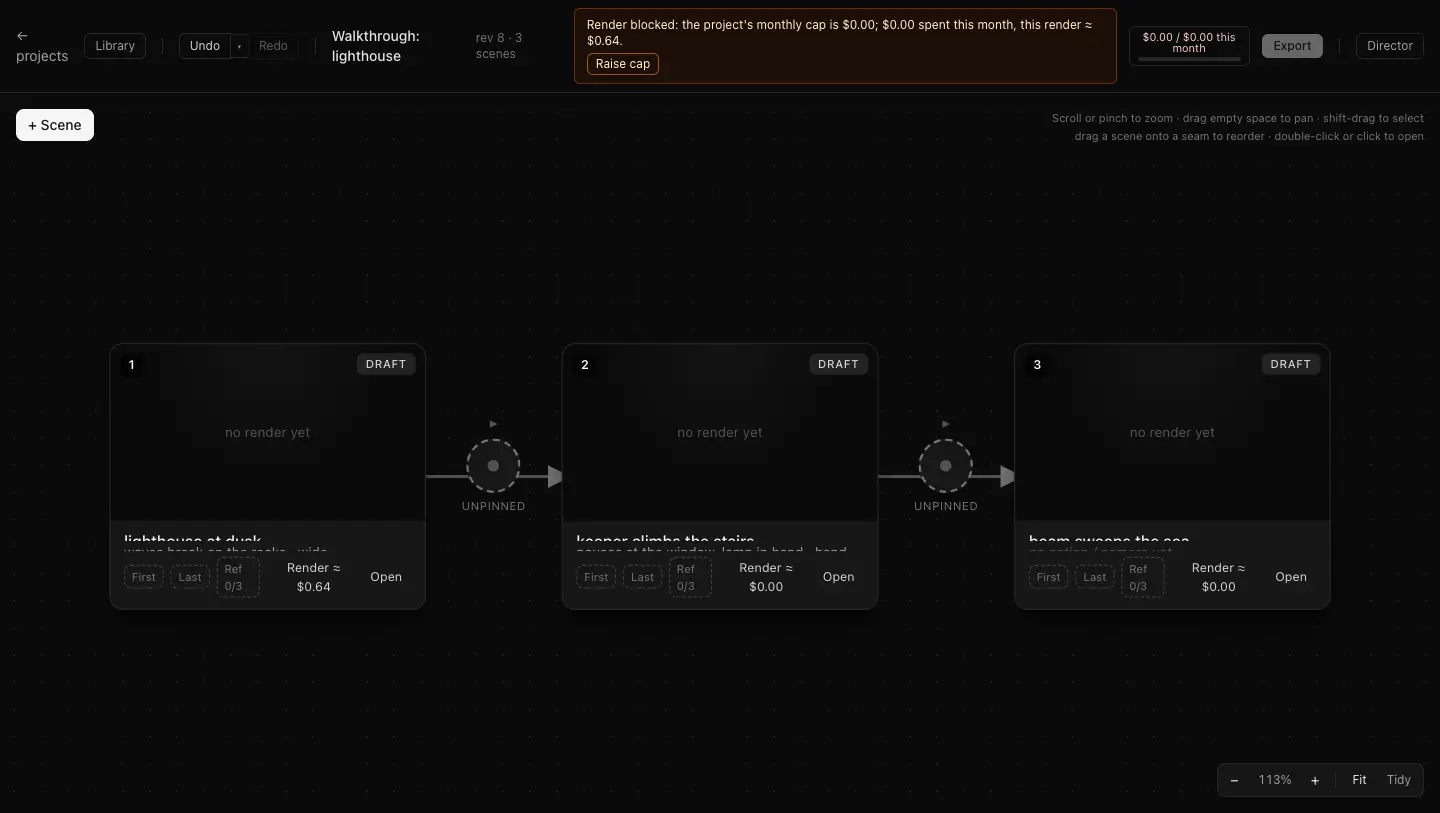
- The price is on the render button before you press it. A per-project monthly cap refuses anything over it. The director cannot render at all.
Rates are still being finalised against measured provider cost — we mark provider cost up and publish the rate itself, not an invented credit unit. Treat the figures above as the shape and the order of magnitude. The exact rate card is published in the app, and you see an exact price on the button, before you can spend anything.

What it isn't
Deliberately not built.
Saying this out loud costs us signups from people who want a different product. That is the point.
-
No one-prompt-to-film mode
Type a sentence, get a movie is a different product for the opposite user. Everything here assumes you want to decide what is in shot seven.
-
No multi-track timeline
Hard cuts between shots, in order. No transitions, no per-clip colour grading, no audio bed. Take the export into an editor for that.
-
No collaboration
One person, one film, for now. A project is named and produces exactly one movie.
-
No node graph
Order is the only structural relationship. A canvas with ports and wires selects for people who would rather build this than use it.
Questions
The things people ask first.
Which models does it use?
Google's Vertex AI, today: Gemini Omni Flash as the default and Veo 3.1 / Veo 3.1 Fast as alternatives. Omni is the default because it is the only configuration we measured that carries identity reference images through a pinned seam. The provider layer is an abstraction — models will change, and the seam mechanism does not depend on any one of them.
How long does a shot take?
Between 30 and 85 seconds, measured across 28 real renders. A still is about fifteen. It is slow enough that you will not sit and watch it, and that is exactly why the unit of work is one shot rather than one film.
Can I really re-roll one shot without disturbing its neighbours?
Yes, and precisely: re-rolling a shot changes only that shot. Editing a boundary still invalidates exactly the two shots adjoining it. Nothing else in the film is touched, because nothing else depends on it.
What can the director actually do?
It writes prompts, inserts, reorders and groups shots, and stages those as a proposal you accept or discard as one. It has the whole board in context, so it is good at work that spans many shots. Starting a render is something you do from the strip, with the price on the button.
What do I get out of it?
An MP4 of your shots concatenated in order at the resolution you rendered, with hard cuts between them. No project lock-in: the individual takes and the stills are yours to download too.
Who owns the output?
You do, subject to the model provider's terms, which we will link rather than paraphrase. We do not strip SynthID watermarking from generated frames. Full terms, privacy policy and acceptable-use policy publish before signups open.
Desktop app or browser?
Browser. Nothing to install; renders run on our infrastructure and your assets are stored against your project so a clip is never lost to a provider's two-day retention window.
Is this shipping?
It is a working alpha. Every screenshot on this page is the real build, and every number is a measurement from our own renders. What is not built yet is signup and billing — which is why the invite list exists.
Early access
Get an invite
Signups aren't open yet. We're letting people in a few at a time, and we're picking the first ones by what they're trying to make. Tell us and you go near the front.
One address, used to send you an invite and occasional build notes. Confirmation email first, unsubscribe in every message, no sharing, no tracking pixels. This page sets no cookies and runs no analytics.
The invite list isn't wired up yet, so the honest version is: send us an email.
Email support@enginyyr.comTell us what you're trying to make. Nothing about you is stored in this browser.